If you've ever shopped online, you know how much a good product photo can tell you. What does it look like from another angle? What's the actual color? How big is it? What does the detail look like?
When customers can't see those details clearly, they're more likely to move on. Whether you're selling products through your own website, an online store, or social media, high-quality images can make a significant difference in how customers experience your brand.
Your Images Represent Your Brand
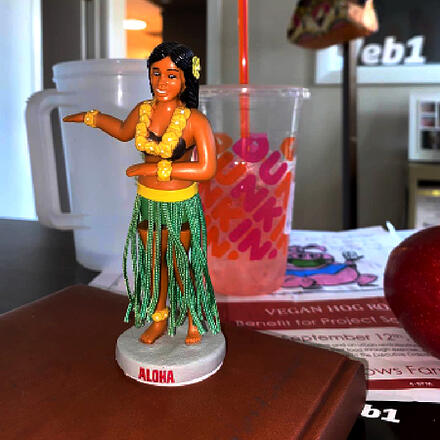
This Hula dashboard doll is a good example of what not to do when photographing products for your website.
- Inconsistent lighting: Harsh or uneven lighting can make it difficult for customers to judge the true color and details of a product.
- Distracting backgrounds: A cluttered background competes with the product and can make an otherwise professional photo feel amateur.
- Only showing one angle: Customers want to see the details that matter before making a purchase.
- Low-resolution images: Blurry or pixelated photos can make your products—and your brand—look less professional.
How to Improve Your Product Photos
Your goal is to help customers imagine the product in their own hands. Your photos should answer their questions before they have to ask them.
Professional-looking product photography doesn't necessarily require an expensive camera or studio. A smartphone, good lighting, and a little consistency can go a long way.
- Use natural or soft lighting. Bright, indirect natural light can produce great results. Avoid harsh flash whenever possible.
- Keep your background simple. A clean, neutral background helps your product take center stage.
- Keep your setup consistent. Use the same lighting, background, and camera position across your product photos so your online store feels cohesive.
- Take multiple photos. Show products from different angles and include close-ups of important details, textures, labels, or features.
- Show scale when it matters. Include a photo that helps customers understand the size or dimensions of the product.
- Optimize your images for the web. Large, uncompressed image files can slow down your website. Resize and compress images while keeping them sharp and clear.
- Think about mobile shoppers. Make sure important product details are easy to see on a smaller screen.
- Don't forget accessibility. Add descriptive alt text to product images so visitors using screen readers can understand what's being shown.
- Use your own images or properly licensed images. Never grab a photo from Google or another website and assume you're free to use it. Take your own photos or obtain the appropriate permission or license.
- Consider professional photography. If photography isn't your thing—or you have a large product catalog—a professional photographer can help create a consistent look across your website and marketing.
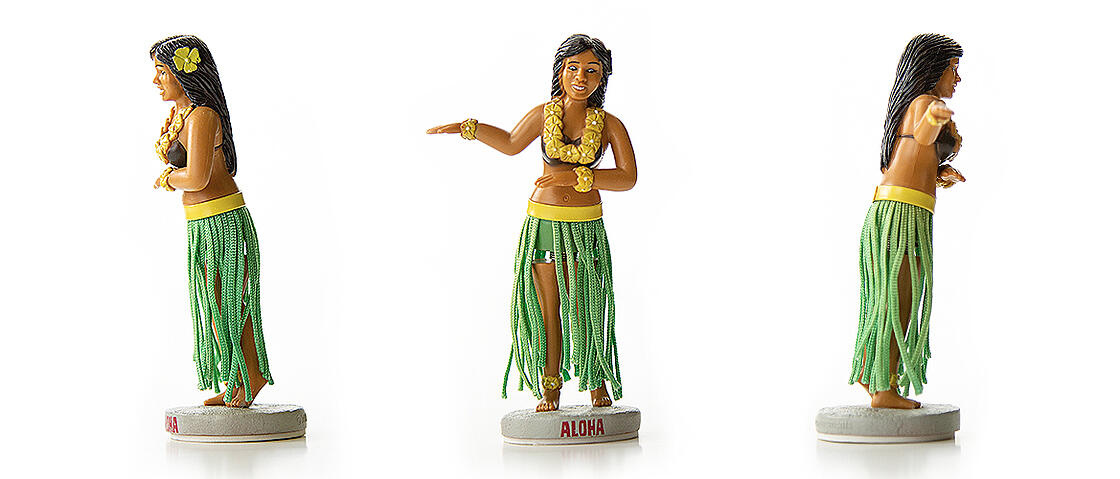
Great Images Build Confidence
Online shoppers can't pick up your product, try it on, or examine it in person. Your photos have to do some of that work for you.
Clear, consistent, high-quality images help customers understand what they're buying and create a more polished experience from the moment they land on your website. And when your website, online store, and social media all use strong visuals, your brand feels more professional and trustworthy.
Need help creating a better online presence? GoWeb1 can help with website design, online stores, photography, and the digital tools you need to showcase your business.
Originally published: 2020 · Last updated: September 2026